



 ♫ La La La La La ♫ black_gold
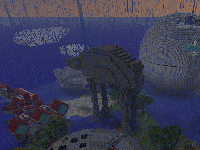 this is only a world for some experiments. MakoMemelord about December 2019
nandeman44 about November 2019
poiisonoustea about October 2019
DiGiDiX57 about October 2019
DiGiDiX57 about September 2019
Drin45 about August 2019
AttackRacer about July 2019
PamelaWardTX 25 November 2020
this is only a world for some experiments. MakoMemelord about December 2019
nandeman44 about November 2019
poiisonoustea about October 2019
DiGiDiX57 about October 2019
DiGiDiX57 about September 2019
Drin45 about August 2019
AttackRacer about July 2019
PamelaWardTX 25 November 2020
 CougarNick24 22 August 2020
malandrin 18 July 2020
malandrin 18 July 2020
♫ La La La La La ♫
© 2011 MinecraftWorldMap.com. All Rights Reserved.
CougarNick24 22 August 2020
malandrin 18 July 2020
malandrin 18 July 2020
♫ La La La La La ♫
© 2011 MinecraftWorldMap.com. All Rights Reserved.
first you need to be sure you can see hidden files and folders. IN win7 type "hidden" in search window and and click "show hidden files and folders".
Click the dot next to "show hidden files and folders", apply, OK.
Now, click:
Computer
(C:) drive
users
<your username>
AppData (this was a hidden file)
Roaming (this was a hidden file too)
in roaming is a folder called .minecraft - click (open) it
you will see a folder called SAVES This is where you put the downladed minecraft world. Put the whole folder in it. YOu can have many worlds (folders) here and they should be listed when you start minecraft in single player mode.
Hope this helps.
whoever did, please do not swear- kids can download these maps
otherwise:
THIS IS AWESOME!